Ceiling Fan Repair: Complete Guide to Troubleshooting, Fixes & Maintenance
Diagnose and repair common ceiling fan problems with confidence. Step-by-step troubleshooting, wiring diagrams, and expert tips to restore your fan.
START YOUR REPAIRWhy learn ceiling fan repair? A malfunctioning ceiling fan can make any room uncomfortable. Before calling an expensive technician, many issues are actually simple fixes you can do yourself. This guide walks you through every step—from identifying the problem to safely completing the repair.
1. Common Ceiling Fan Problems & Diagnosis
Ceiling fans are relatively simple devices, but they can develop issues over time. Understanding the symptoms is the first step to a successful repair.
🔄 Fan Won't Turn On
Check the circuit breaker, wall switch, and remote control batteries. Could also be a faulty capacitor or motor winding.
🔊 Wobbling or Noisy Operation
Loose blades, unbalanced blades, or a bent mounting bracket. Also check for worn-out bearings or a loose motor mount.
⚡ Slow Speed or No High Speed
Often caused by a failing capacitor or a faulty speed control switch. Could also indicate a problem with the motor's start winding.
💡 Light Works but Fan Doesn't
Points to a problem with the fan motor or capacitor. The light kit receiving power means the wall switch and wiring to the fan are functional.
📡 Remote Control Not Working
Replace batteries first. If that doesn't work, the receiver inside the fan may need to be reset or replaced.
💧 Fan Humming or Buzzing
Usually a sign of electrical interference or a loose capacitor. Can also happen with dimmer switches not designed for fan motors.
💡 Pro Tip: Always start with the simplest possible fix. A surprising number of "broken" fans are just tripped breakers or dead remote batteries.
2. Safety First: Essential Precautions
Working with ceiling fans involves electricity and working at height. Taking proper safety measures is non-negotiable.
- Turn off the power: Always switch off the circuit breaker for the fan circuit before starting any repair. Use a voltage tester to confirm power is off.
- Use a stable ladder: Ensure your ladder is rated for your weight and placed on a level surface. Have someone spot you if possible.
- Wear safety glasses: Dust and debris can fall during repairs.
- Secure the fan blades: Remove blades before working on the motor to prevent accidental movement.
- Check local codes: If your repair involves electrical wiring, ensure it complies with local building codes.
⚠️ WARNING: If you are not comfortable working with electricity, or if the fan is hardwired into the home's electrical system without a plug, consider hiring a licensed electrician. Improper wiring can create fire hazards or cause serious injury.
3. Tools & Materials for Ceiling Fan Repair
Having the right tools on hand makes the repair process smoother. Here's what you'll typically need:
🔧 Essential Tools
Phillips and flathead screwdrivers, wire strippers, electrical tape, voltage tester, non-contact voltage tester, pliers, step ladder, and a multimeter.
🔩 Replacement Parts
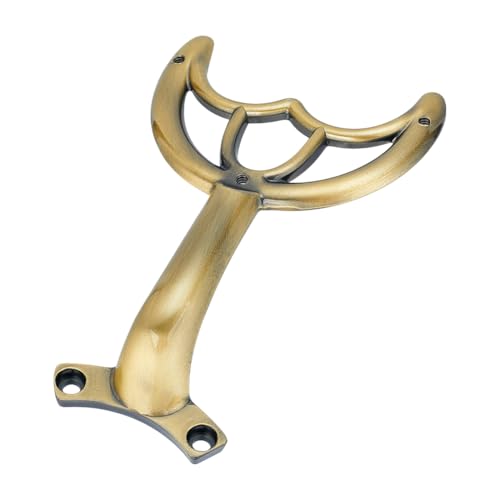
Common replacements include fan capacitors, remote control receivers, light bulbs, pull chains, and wall switches. Have the fan model number ready for part matching.
🧹 Cleaning Supplies
Microfiber cloths, gentle cleaner, and a vacuum with a brush attachment to clean dust from the motor housing.
🔌 Optional
If rewiring, wire connectors (wire nuts), and replacement wires of the appropriate gauge.
For quality tools and reliable replacement parts, consider checking our recommended products below.
4. Step-by-Step Repair Procedures
4.1. Fixing a Wobbling Fan
A wobbling fan is not just annoying—it can also be dangerous if the fan falls from the ceiling.
- Turn off the fan and allow it to stop completely.
- Check blade screws: Tighten all screws on each blade bracket. Loose screws are a common cause of wobbling.
- Inspect for bent blades: Hold a ruler against the ceiling to check if all blade tips are equally spaced. Gently bend bent blades back into position.
- Balance the blades: Use a fan balancing kit (usually included with the fan or available separately). Attach balancing clips to blades to identify the heaviest blade, then add weights to the opposite blade.
- Check the mounting bracket: Ensure the ceiling bracket is securely attached to the electrical box. Any movement here will transfer to the fan.
If the wobble persists, the motor bearings may be worn out, requiring professional replacement or a new fan.
4.2. Diagnosing and Replacing a Capacitor
A failing capacitor is one of the most common reasons a fan runs slowly or not at all.
- Turn off power at the circuit breaker.
- Remove the fan's switch housing (the cover under the blades).
- Locate the capacitor – it's a small, rectangular or cylindrical component connected to the pull chain switch or speed controller.
- Note the microfarad (µF) rating printed on the capacitor. This is critical for buying a replacement.
- Disconnect the old capacitor (taking a photo of the wiring for reference).
- Install the new capacitor with the same rating, connecting wires exactly as before.
- Reassemble the housing and restore power to test.
💡 Important: Capacitors can hold a charge even after power is off. Always discharge them safely (with an insulated screwdriver) before handling.
4.3. Fixing Remote Control Issues
If your remote-controlled fan is unresponsive, try these steps:
- Replace the batteries in the remote with fresh ones.
- Reset the receiver: Turn off the fan's circuit breaker for 30 seconds, then turn it back on. Press the remote's pairing button (if available) within 30 seconds.
- Check the dip switches: Some remote kits have small dip switches inside the remote and receiver. Ensure both match.
- If still not working, the receiver may be faulty and will need replacement. Match the receiver model with your fan's make.
4.4. Replacing the Light Kit
When the light works but not the fan, or vice versa, the issue could be in the light kit:
- Turn off power to the fan.
- Remove the light fixture (usually screws or a twist-off glass dome).
- Check bulbs and replace if needed.
- Inspect wiring for loose connections or frayed wires.
- Replace the light kit if the wiring appears damaged or the sockets are corroded.
4.5. Fixing a Humming Fan
Humming often comes from the motor or capacitor:
- Check the capacitor – a failing capacitor can cause humming.
- Ensure you're using a compatible dimmer switch (not all dimmers work with fan motors).
- Tighten all mounting screws – loose components can vibrate and cause a humming noise.
- If the hum persists, the motor bearings may be damaged, indicating it's time for a new fan.
5. Ceiling Fan Repair Costs & Budgeting
Understanding the costs involved helps you decide whether to repair or replace your ceiling fan. Here's a realistic breakdown of typical expenses.
| Repair Type | Typical Cost | Notes |
|---|---|---|
| Capacitor Replacement | $10–$25 | DIY if you're comfortable with basic wiring. |
| Remote Control Receiver | $20–$40 | Model-specific; check compatibility. |
| Light Kit Replacement | $25–$60 | Depends on the style and features. |
| Balancing Kit | $5–$15 | Essential for wobbling fans. |
| Motor Replacement | $50–$150+ | Often not worth it; a new fan may be more cost-effective. |
| Professional Repair (Electrician) | $100–$250 | Labor only; parts extra. Often $150+ for a service call. |
| New Ceiling Fan Installation | $150–$500+ | Fan cost plus installation labor. |
📌 Cost-Saving Tip: Many repairs cost less than $50 in parts. If your fan is older than 10–15 years, replacing it might be more economical than a major repair like motor replacement.
6. Should You Repair or Replace Your Ceiling Fan?
Not every problem is worth repairing. Here's when to replace instead:
- Fan is over 15 years old: Newer fans are more energy-efficient and have better features.
- Motor is dead or making grinding noises: Motor replacement costs can approach the price of a new fan.
- Mounting bracket or electrical box is damaged: This can be a safety hazard.
- Wobbling persists after balancing: Could indicate a warped bracket or worn motor bearings.
- You want new features: Modern fans offer remote controls, reversible motors, LED lighting, and smart home integration.
If your fan is relatively new (under 10 years) and the issue is simple (capacitor, remote, light kit), repairing is typically the better choice.
7. Preventive Maintenance for Ceiling Fans
Regular maintenance can double the life of your ceiling fan and prevent most repair issues.
🧹 Clean blades monthly
Dust accumulation creates imbalance, causing wobbling and motor strain.
🔧 Check screws every 6 months
Tighten all blade screws, mounting screws, and the canopy cover.
💨 Use the seasonal direction
Counterclockwise for summer (cooling), clockwise for winter (warm air circulation).
⚡ Inspect wiring annually
Check for frayed wires or loose connections, especially if the fan is outdoors or in a humid area.
🔄 Balance blades regularly
Re-balance after cleaning or if you notice any wobbling.
🔌 Use proper switches
Use switches and dimmers specifically designed for ceiling fans to prevent motor damage.
8. Conclusion
Ceiling fan repair is often simpler than you think. With the right approach—starting from basic checks like power and remote batteries, moving to capacitor and balancing issues—you can fix most problems yourself without calling a professional.
Remember: safety comes first. Always turn off the power before any repair. If you're unsure about any step, especially electrical work, it's wise to call a licensed electrician.
For quality replacement parts and reliable tools to help with your ceiling fan repair, check our curated selection of recommended products below. Every item is carefully chosen to help you complete your project with confidence.